
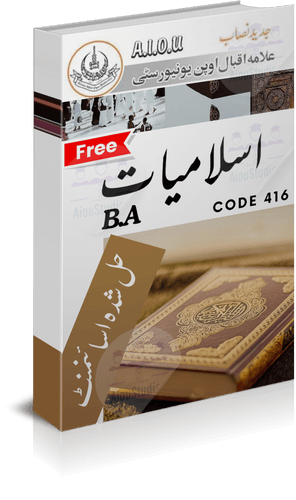
How to Download AIOU Code 416 Autumn 2026 Assignments?
Students enrolled in the AIOU Islamiyat course (Code 416) can find the Autumn 2026 assignment questions through the official university website.
Follow these steps:
- Open the official AIOU Assignment Question Papers page.
- Find the Semester Autumn 2026 section.
- Select the Bachelor, ATTC, ADC, ADB, BS, BBA, B.Ed and Post Graduate Courses category.
- Open the assignment-paper listing.
- Search for course code 0416.
- Open the relevant assignment question paper and save it to your device.
Check the semester and course code before downloading Autumn 2026 assignment.
How to Download AIOU 416 Solved Assignment PDF and MS Word?
Students looking for AIOU Code 416 solved assignment Autumn 2026 resources should first identify the correct assignment number and its questions.
The available study materials on this page are organised into two assignment sections:
- Assignment 1: Use the relevant first-assignment study material.
- Assignment 2: Use the second-assignment material for the same course and semester.
The PDF format is useful for reading and printing, while an editable MS Word document can help students organise their own answers.
Before using any downloaded solution, compare its questions with the official Autumn 2026 question paper. Check the course code, semester, assignment number and question wording.
A solved assignment should be treated as a study reference. Read each question, understand the subject and prepare your own response rather than submitting another student’s work unchanged.
How to Write AIOU Code 416 Assignments?
A well-prepared Islamiyat assignment should answer the question directly and follow the university’s instructions.
Use this method:
- Write the course code and assignment number correctly.
- Read every question carefully.
- Prepare answers according to the marks and requirements of each question.
- Use clear headings and relevant explanations.
- Include appropriate Islamic references where required.
- Avoid irrelevant discussion and unnecessary repetition.
- Check spelling, formatting and completeness before saving the document.
AIOU’s Autumn 2026 instructions for the relevant Associate Degree, BS, B.Ed and postgraduate programmes specify typed assignments in Word or PDF format. Handwritten scanned assignments are not acceptable for those listed programmes. The university also advises students to use their own analysis and avoid copying study material word for word.
How to Upload AIOU Assignments on AAGHI LMS?
For applicable distance-learning programmes, assignment submission takes place through the official AAGHI LMS portal.
Follow these general steps:
- Open the AAGHI LMS website.
- Log in using the credentials provided by AIOU.
- Open your relevant course.
- Find the assignment activity.
- Select the correct assignment number.
- Choose the submission option.
- Upload your completed Word or PDF document.
- Save the submission and check its status.
The AIOU student manual describes the upload process using the Assignment activity, Add submission, file selection and Save changes. Follow the current instructions displayed in your own course because portal screens can change.
Note: AIOU’s official guidance distinguishes between programmes. BS, B.Ed, MA/MSc and equivalent ODL students submit through AAGHI LMS, while SSC/HSSC assignments are submitted to tutors. Confirm the applicable method for your registered programme.
How to Check AIOU Assignment Marks?
Students can check their academic records through the university’s designated student systems.
For assignment marks, visit the AIOU assignment marks guide.
Check the relevant course and assignment record. If an assignment was submitted according to the schedule but has not been graded, contact the concerned Regional Campus for guidance.
How to Find AIOU Assignment Forms and Study Resources?
Use the official AIOU assignment question-paper section to locate the covering form and writing instructions.
Students can also consult the AIOU soft books collection to find relevant course-study resources.
Always verify the semester and course code before using an assignment form, textbook or past paper.
1. What is AIOU Code 416?
AIOU Code 416 is Islamiyat. The Associate Degree programme lists it as a three-credit-hour course.
2. Where can I download the AIOU 416 Autumn 2026 assignment?
Visit the official AIOU Assignment Question Papers page, select Autumn 2026, open the relevant Bachelor/Associate Degree category and search for 0416.
3. Can I download AIOU Code 416 solved assignments in PDF?
Yes, if the relevant PDF files are available in the download section of the study-resource page. Verify the semester and assignment number before using them.
4. Is the MS Word format suitable for AIOU assignments?
Yes. AIOU’s Autumn 2026 instructions specify typed Word or PDF submissions for the relevant programmes covered by those instructions.
5. How many assignments should I prepare for Code 416?
Follow the number of assignments displayed in your official course question paper and assignment schedule. Do not assume that every programme has identical requirements.
6. How can I upload AIOU assignments through AAGHI LMS?
Log in to AAGHI LMS, open your course, select the relevant assignment activity, upload your completed document and save the submission.
7. Can I submit handwritten scanned assignments?
For the relevant Associate Degree, BS, B.Ed and postgraduate programmes covered by the Autumn 2026 instructions, handwritten scanned assignments are not accepted.
8. Where can I check the AIOU assignment last date?
Use the official AIOU Assignment Schedule and select your programme. Do not rely on dates published for another programme or semester.
9. How can I check my AIOU assignment marks?
Use your university student records and consult the AIOU assignment marks instructions.
10. Is there an official AIOU Code 416 WhatsApp group?
I could not verify an official university WhatsApp group for Code 416. Avoid sharing your LMS password, personal information or payment details with unknown group administrators.